
Organize PDF
Reorder, remove, and organize pages in your PDF document
Upload PDF File
Drag & drop your PDF here or click to browse
Upload a PDF to organize its pages
Loading PDF…
Please wait
Document
0 pages
PDF Pages
Click to select, use arrows to reorder
Creating PDF…
Saving your organized document
PDF Organized Successfully!
Your document has been reorganized
Final Pages
0
Organize PDF
Managing pages inside a PDF file becomes simple with this tool. It helps users control page order, remove unnecessary pages, and keep documents clean. The system works directly in the browser and supports common PDF format needs.
A PDF document often grows over time. Extra pages, wrong order, or mixed layout can cause issues. An online organizer fixes these problems without changing the original content.
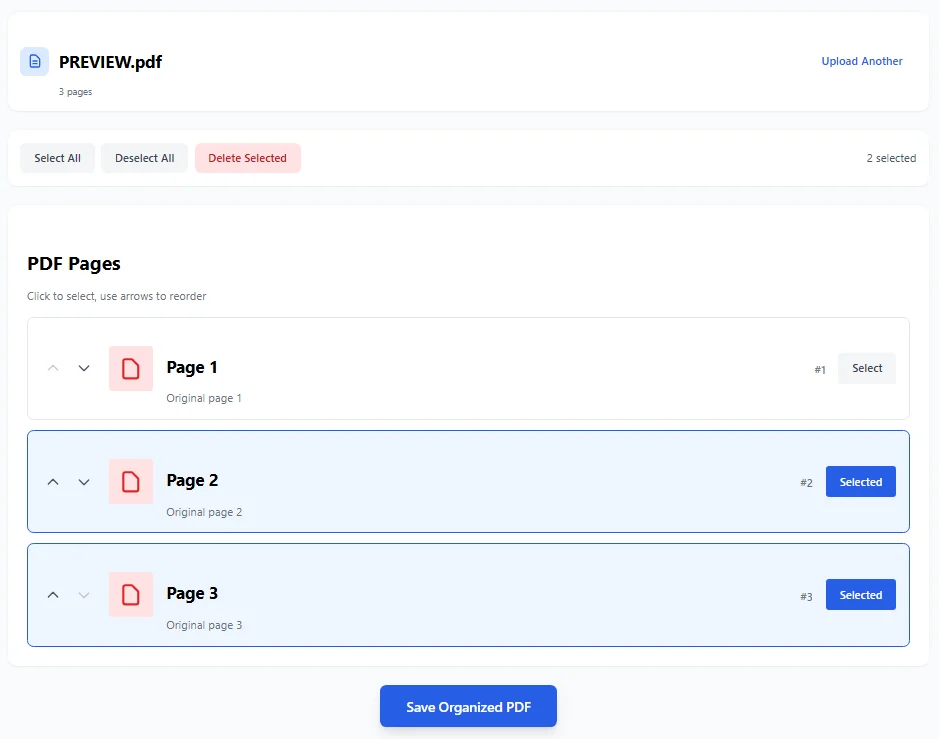
The organize PDF interface displays all pages in a clear, manageable view. Users can select individual pages, reorder them using arrow buttons or drag-and-drop, and see real-time page numbers and positions before saving the reorganized document.
What Is an Organize PDF Tool
This tool lets users rearrange, sort, and manage PDF pages. It works on single document files and also supports multiple PDFs in some cases. Users can move pages, delete selected pages, or create a new order that fits the project.
The system focuses on page order and structure. It does not change PDF text or design. The goal is to keep full documents clear and easy to use. If you need to secure your documents, you can also unlock PDF files when needed.
Manage PDF Pages Easily
Rearrange pages by clicking and moving each one to the desired order. Pages can be sorted, shuffled, or removed. This helps when a file has extra pages or mixed sections.
The organizer shows all pages clearly. Users can see page numbers and page content before saving changes. This avoids mistakes during printing or sharing.
Reorder PDF and Shuffle Pages
Reorder PDF pages when the order does not match the need. Shuffle PDF pages to test different layouts. This is useful for booklet printing, forms, or reports.
Reorder pages also helps when creating a booklet or preparing a perfect PDF file for clients. The new order stays clean and correct. For additional optimization, you can compress PDF files to reduce size.
Delete, Extract, and Rotate Pages
An organize PDF tool lets users delete unnecessary pages. It also supports extract pages for a new project. Rotate pages to fix scan issues or wrong orientation.
These features help keep PDF files small and clear. Fewer pages mean faster printing and easier sharing.
Online PDF Organizer for Browser Use
An online PDF organizer works in modern browsers. It is a browser-compatible PDF arranger, so no download is needed. Users can organize PDF files on any device.
This PDF solution works well for quick tasks. It supports common PDF tools actions like move, add, and reorder. You can also convert HTML to PDF for web content integration.
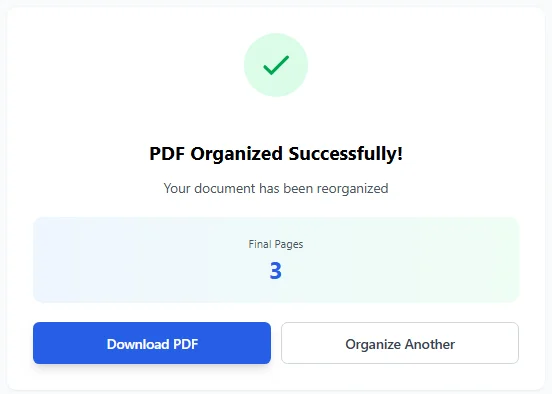
The success screen confirms the PDF has been organized successfully, displaying the final page count and providing immediate download options. Users can download their reorganized PDF or start organizing another document with a single click.
Use Cases for Organize PDF Tools
Organize PDF tools help with many tasks. Students sort pages in notes. Offices manage documents and files. Designers prepare layout for printing.
It also helps when working with Adobe or Adobe Acrobat files. Users can prepare documents before using advanced PDF tools. For structured data needs, consider PDF to XML conversion.
Organize PDF vs Other PDF Tools
Some tools focus on split PDFs or sign PDFs. Others compress files like Acrobat compress PDF. An organize PDF tool focuses only on structure and order.
Popular names like Smallpdf, Smallpdf organize, Smallpdf online organize, PDFChef, and other PDF editor tools offer similar features. The goal remains the same: control pages and order.
Why Page Order Matters
Correct page order improves reading and printing. It helps create a customized page sequence for each project. Sorting pages avoids confusion and saves time.
A clean PDF document looks professional and works better for sharing.
Organize PDF in Simple Steps
Upload the PDF file. Select pages. Move pages up or down. Delete extra pages if needed. Save the new PDF file.
The tool works fast and keeps files safe.
Final Thoughts on Organize PDF
Organize PDF helps users manage PDF files without stress. It supports sorting, arranging, and creating a new order in one place.
This organize PDF tool is useful for daily work, printing, and document control.