PDF to PowerPoint
Convert your PDF documents to PowerPoint presentations. Each page becomes a slide.
Click to upload or drag and drop
PDF files only (Max 20MB)
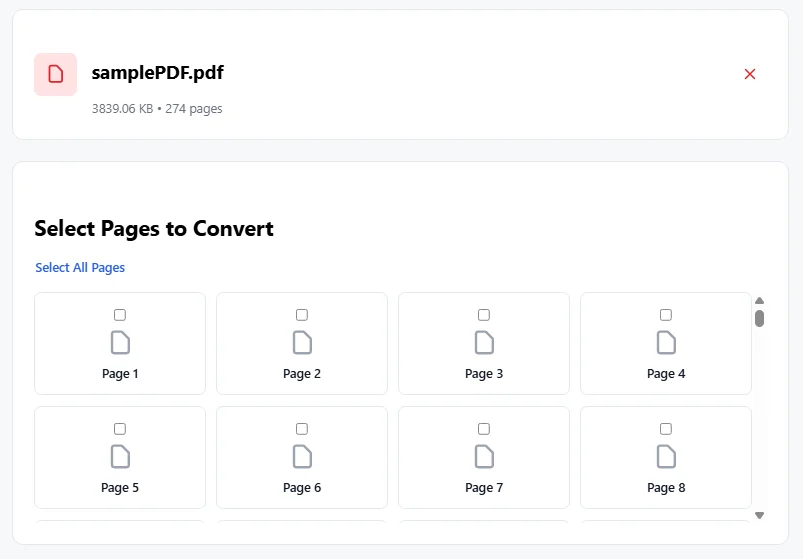
Select Pages to Convert
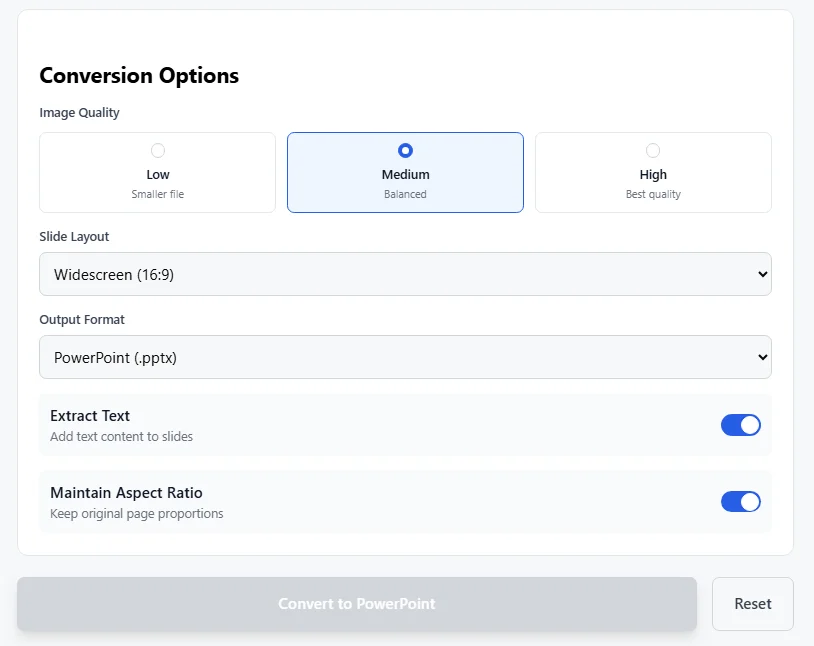
Conversion Options
Low
Smaller file
Medium
Balanced
High
Best quality
Extract Text
Add text content to slides
Maintain Aspect Ratio
Keep original page proportions
Converting to PowerPoint…
Processing PDF pages
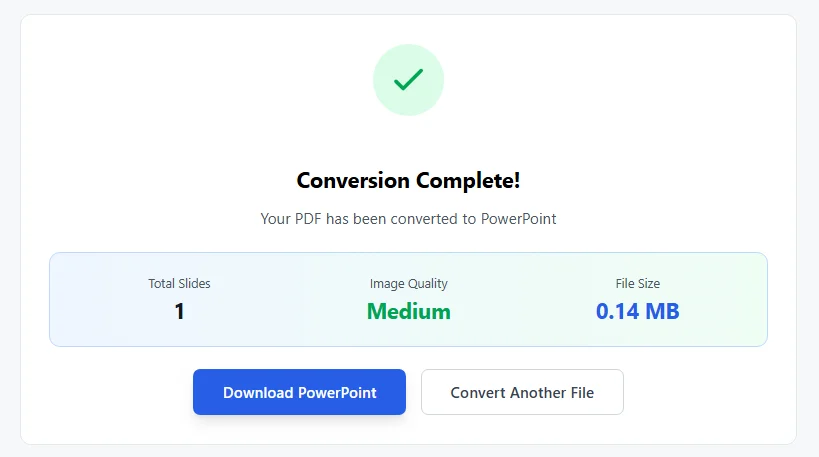
Conversion Complete!
Your PDF has been converted to PowerPoint
Total Slides
–
Image Quality
–
File Size
–
Free PDF to PowerPoint Converter Online
Convert PDF to PowerPoint easily with this free tool. Turn your PDF files into editable PPTX slides in seconds. No sign-up needed. Works on any device.
Many people need to convert PDF to PPT for work or school. PDFs are great for sharing documents that look the same on every screen. But they are hard to edit. PowerPoint files let you change text, add animations, and make slides look better. This free PDF to PowerPoint converter helps you do that fast.
How to Convert PDF to PowerPoint
Use the tool on this page. It is simple.
- Click the upload area or drag your PDF file there.
- The tool loads your PDF and shows page previews.
- Pick the pages you want. You can select all or just some.
- Choose options like image quality (low, medium, or high) and slide size (standard or widescreen).
- Click convert.
- Wait a short time. A progress bar shows how it is going.
- Download your new PowerPoint file when done.
Each PDF page becomes one slide. Images from the PDF turn into background pictures on the slides. You can open the PPTX file in Microsoft PowerPoint or free options like Google Slides.
This online PDF to PPT converter is 100% free. No limits on how many times you use it. Files stay private and delete after processing.
Why Use This PDF to PPT Tool
- Free and no registration. Many sites like iLovePDF or Smallpdf ask for sign-up for full use. This one does not.
- Pick specific pages. Other free tools convert the whole file. Here, you choose pages to make smaller presentations.
- Control image quality. Pick low for small files, high for clear pictures.
- Keep aspect ratio. Slides match the original PDF page shape.
- Works in browser. No download needed. Use on phone, tablet, or computer.
- Fast conversion. Handles files up to 20MB quickly.
People search for “pdf powerpoint convert” or “convert pdf to powerpoint online free“. This tool does that without ads or watermarks.
Tips for Best Results
Start with a clear PDF. Scanned pages may look like images only. This tool does not add OCR for text extraction yet. It keeps layout good for most PDFs.
If your PDF has text, the slides show it as images. You can edit in PowerPoint later.
For big files, pick lower quality to make the PowerPoint smaller.
Use widescreen for modern screens. Standard fits older projectors.
You can output as PPTX or older PPT format.
Common Uses for PDF to PowerPoint Conversion
Teachers turn lesson PDFs into slides for class.
Business people update reports sent as PDFs.
Students make presentations from research papers.
Anyone reuses content without typing it again.
Search terms like “ppt online free” or “pdf ppt converter” bring people here for easy help.
This converter beats paid tools for simple needs. It is accurate and keeps images sharp.
Make Editable PowerPoint Slides
After download, open in PowerPoint. Add text boxes for new content. Change colors or add effects.
Since pages are images, text is not selectable at first. But layout stays perfect.
For fully editable text, some tools use OCR. This one focuses on speed and privacy.
Safe and Private
Files process in your browser where possible. No server upload for some steps. Everything secure.
Try it now. Upload a PDF and see how easy it is to get a PowerPoint file.
This free online converter helps millions save time. Convert PDF to editable PowerPoint today.
No more copying text by hand. Turn PDFs into slides fast.
Perfect for “powerpoint free” needs or quick “pdf to ppt” changes.
Enjoy the tool. Convert another file anytime.
FAQs
1. Is this converter free?
Yes, it is free. Use it as many times as you want. No sign-up or payment needed.
2. Do I need to install software?
No. It works in your browser on any device with internet.
3. Can I edit the text in the new PowerPoint file?
Each page becomes a full image on a slide. Text is in the image, so you add new text boxes in PowerPoint to make changes.
4. What size PDF can I upload?
Up to 20 MB. Bigger files won’t load.
5. Is my file safe?
Yes. Everything stays in your browser. Your PDF does not go to any server.