Crop PDF
Crop your PDF pages by selecting the area you want to keep
Click to upload or drag and drop
PDF files only (Max 50MB)
Preview & Crop Area
Crop Settings
Cropping PDF…
Processing your document
PDF Cropped Successfully!
Your PDF has been cropped and is ready to download
Total Pages
–
File Size
–
Crop PDF Tool
Crop PDF is an online pdf cropper built to help you control every part of your pdf document. You can crop pdf files to remove margins, edges, or unwanted areas. This tool works directly in your browser. You do not need adobe or acrobat crop pdf software. You upload pdf file, select crop area, and download a cropped pdf file in seconds.
What Is Crop PDF
Crop pdf means trimming a pdf page to keep only the content you need. Many pdfs include extra white space, borders, or scanned edges. Cropping fixes this problem.
This crop pdf tool lets you crop pages visually. You see the rectangular cropping border on the pdf page. You move it until it fits your content.
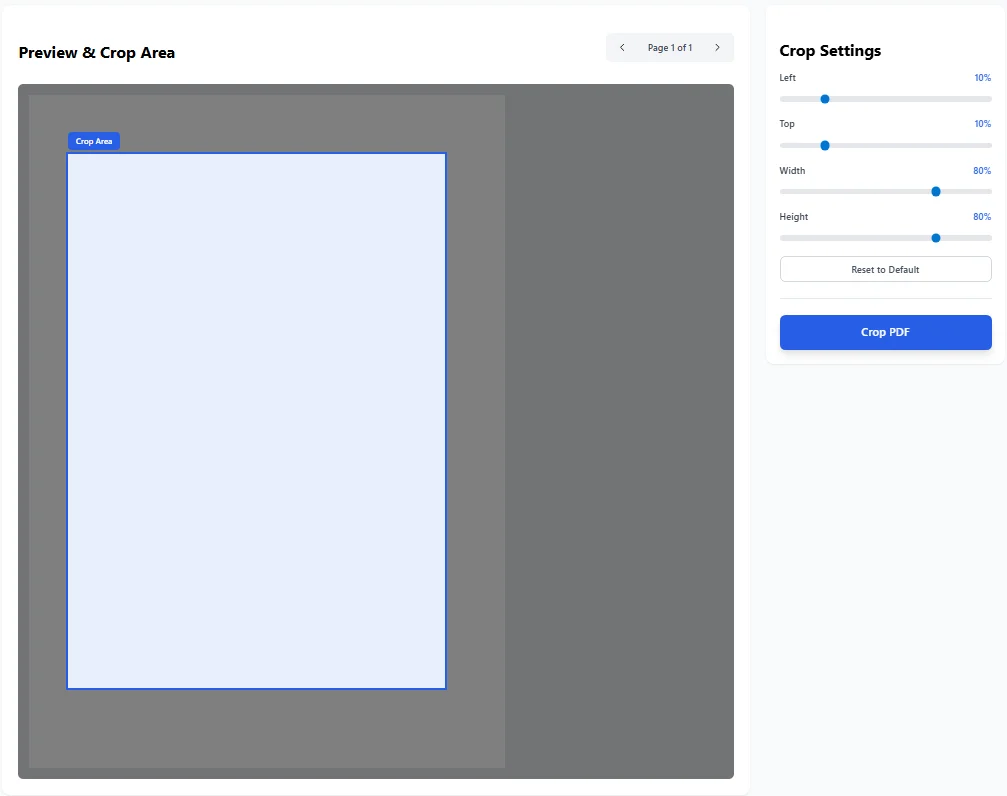
Visual preview of the CROP PDF tool. It shows how users can adjust margins, move the rectangular cropping border, and define the crop area before processing the pdf document.
Why You Need a PDF Cropper
A pdf document often comes from scans, reports, or exports. These files may have uneven margins or empty areas. A pdf cropper helps clean the layout.
It improves readability. It reduces pdf file size. It makes files ready for sharing, printing, or signing.
Pdfs retain quality after the cropping process.
Crop PDF Files Online
This online pdf cropper works without downloads. You click to upload pdf file or drag files into the tool. It supports single page and multiple pages.
You can crop pdf pages online for free. The tool processes files inside your browser. Your files stay private.
How to Crop PDF Pages
The process is simple.
- Click upload pdf file.
- The tool loads the visual pdf document.
- Select crop by dragging the rectangular cropping border.
- Adjust crop settings using sliders for margins and area.
- Preview the result on the first pdf page.
- Click crop pdf to process pages.
- Download the cropped file.
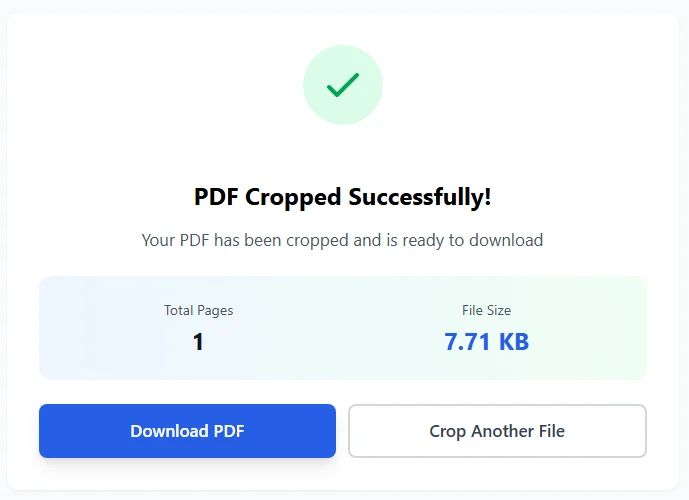
Conversion complete screen after you CROP PDF online. It confirms successful cropping and allows instant download of the cropped pdf file.
You can apply the same crop to the entire pdf. This same cropping process saves time when you crop multiple pages.
Crop Area and Crop Settings
Crop settings give you precise control. You can set left, top, width, and height values. These settings define the crop area.
You can reset settings at any time. You can fine tune margins to remove borders. This helps when documents need exact formatting for reports or printing.
Auto-Crop Option
The auto-crop option helps when you work with scanned pdfs or scanned document files. Auto-crop detects content and trims empty edges.
It is useful for crop scans that have uneven borders. You can still adjust the area after auto-crop if needed.
Crop Multiple Pages
This crop pdf tool supports crop multiple pages in one action. You do not need to crop each page manually.
Select crop once and apply it to pages. This works well for long documents, reports, or books. The same crop keeps layout consistent across pages.
Crop PDF Pages for Different Uses
- Remove margins from academic documents.
- Trim edges from scanned pdfs.
- Prepare files for sign pdfs workflows.
- Create a clean thumbnail from a pdf page.
- Fix layout before you rearrange pdf pages.
- Reduce pdf file size before sharing.
- Prepare files for printing or archiving.
Crop PDF for Documents and Files
This tool supports many use cases. You can crop documents, processed documents, and reports.
You can crop spreadsheets saved as pdf. You can crop an image embedded in a pdf. You can create a new document by cropping the whole document or selected pages.
PDF Doesn Not Lose Quality
One concern users have is quality. This pdf crop tool keeps content sharp. Pdfs retain quality after cropping.
Text stays readable. Images stay clear. Formatting stays intact. The tool only trims the visible area. It does not recompress content.
File Size and Performance
Cropping often reduces pdf file size. Removing blank areas cuts unnecessary data. Smaller files are easier to upload, email, or store.
The tool handles files efficiently. It works well even with large files, within the size limit.
PDF Editor Features Without Complexity
Many users rely on a full pdf editor for small tasks. This tool focuses only on cropping. It avoids complex menus.
You get a clean interface with one goal. Crop pdf pages quickly. This makes it easier than using heavy pdf tools or adobe software.
Entire PDF or Single Page Cropping
You can crop the entire pdf with the same crop area. You can also preview page by page before applying changes.
This helps when the first pdf page differs from others. You stay in control of pages and results.
Units and Precision
The tool allows precise control. You can think in percentages or inches. This is helpful for print layouts.
It ensures consistent margins across pages. Precision matters when preparing reports or professional documents.
Security and Privacy
The pdf document stays on your device. The tool runs in your browser. Files are not uploaded to a server.
This protects sensitive documents. It is safe for business files and personal records.
Compatibility and Formats
The tool works on modern browsers. It supports standard pdf formats.
The cropped pdf file opens in any viewer, including Adobe Acrobat Reader .
You can use it with other pdf converter tools later. The result is a clean, standard file.
Ease of Use
This ease crop pdf experience is built for everyone. You do not need technical skills.
You click, select area, and crop. The snap behavior of the border makes selection easy. Clear buttons guide each step.
Why Choose This Online Crop PDF Tool
- It is fast.
- It is simple.
- It works online.
- It supports scanned pdfs.
- It keeps quality intact.
- It applies same crop across pages.
- It helps reduce file size.
- It fits into any pdf workflow.
Crop PDF Final Overview
Crop PDF is a focused and reliable pdf crop tool. It helps you crop pdf files, trim margins, and clean layouts.
You can crop pages, crop scans, and process the whole document with one action. The cropper gives visual control through a rectangular cropping border.
The result is a cropped pdf file ready for sharing, printing, or editing. This tool makes pdf document online cropping easy and accurate for everyday use.