Edit PDF
Add text and draw on your PDF documents
Click to upload or drag and drop
PDF files only (Max 50MB)
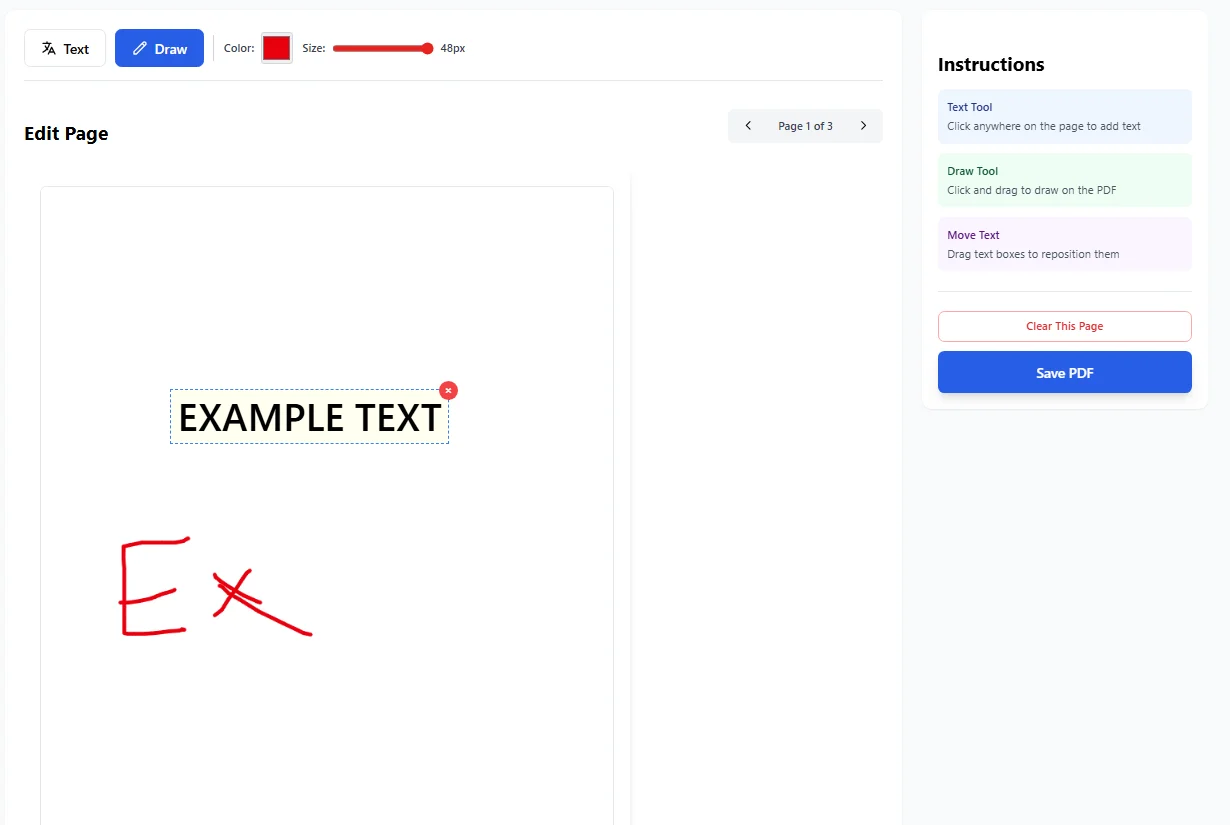
Edit Page
Instructions
Text Tool
Click anywhere on the page to add text
Draw Tool
Click and drag to draw on the PDF
Move Text
Drag text boxes to reposition them
Saving PDF…
Processing your edits
PDF Saved Successfully!
Your edited PDF is ready to download
Total Pages
–
File Size
–
Edit PDF Files Without Stress
Editing a PDF file should not feel hard. Many pdf documents are shared every day, but small changes can become a problem. This online PDF editor helps users edit PDF files for free in a clear and easy way.
The tool works in any browser. No heavy software or setup is needed. Users can open pdf files, make edits, and download the result in minutes.
What Is an Edit PDF Tool?
An Edit PDF tool lets users change text, add notes, and mark pages. It works with common file format types like pdf, jpg, jpeg, and jpeg 2000.
This pdf editor focuses on everyday document work. It helps with annotations, sticky notes, and highlights. The goal is clean and quick pdf editing.
Easy-to-Use PDF Editing Tools
Change PDF Text
Users can click on a pdf page and add new text. The tool supports direct text editing for fast updates. This is useful for fixing names, dates, or short lines in documents. It works well on scanned documents and digital files.
Add Notes and Comments
Users can add comments, notes, and marks. This helps with projects, reviews, and shared docs. The pdf annotator makes feedback clear. Every annotated file stays easy to read.
Draw and Highlight
The editor includes online pdf highlighter features. Users can draw, underline, or add illustrations. This helps with study files, professional documents, and word documents saved as PDF.
Work With PDF Pages
Users can move between pages with simple clicks. Each pdf page loads fast on desktop and computer systems. The tool supports reorder pages, page edits, and insert actions. It fits common pdf workflows.
Free Online PDF Editor for Daily Use
This free pdf editor works without signup. It supports free online pdf access for all users. There is no need for adobe, adobe acrobat, or adobe acrobat pro. It also avoids paid tools like smallpdf, smallpdf pdf editor, or canva pdf editor.
File Support and Import Options
Users can import files from their desktop or desk setup. The tool accepts files, single file, or many pdfs. It also works with images like jpg and jpeg. This helps convert content into editable elements.
Secure PDF Editing Online
The editor focuses on secure pdf handling. Files are processed and removed after use. This keeps secure pdfs safe during updating documents. Users stay in control of their content. If you need to unlock PDF files for editing, our tool makes it simple and secure.
PDF Design and Layout Changes
Users can adjust design, spacing, and format. This helps with pdf design and clean layouts. Text color and size changes help shape digital text. It also supports change fonts in simple cases.
Why Use an Online PDF Editor?
- No install needed
- Works on desktop and browser
- Clean interface
- Fast access
- Simple tools
This makes it a fuss-free pdf solution for everyday work.
Edit, Save, and Download
Once edits are done, users can save and download the edited pdf. The final file keeps its layout and sections. This helps finish tasks without delay. The tool handles pdf online work smoothly. After editing, you can also compress PDF files to reduce file size for easier sharing.
Edit PDF Files for Free Today
This editor helps users transform pdf documents with ease. It supports notes, pdf forms, and text updates. From study notes to custom pdf contracts, the tool fits many needs. It keeps document workflows simple. You can even convert PDF to XML format when needed for data extraction.
Summary
The Edit PDF tool helps users make fast changes. It supports pdf editing tools for real work. No heavy apps. No limits. Just simple PDF editing online.